




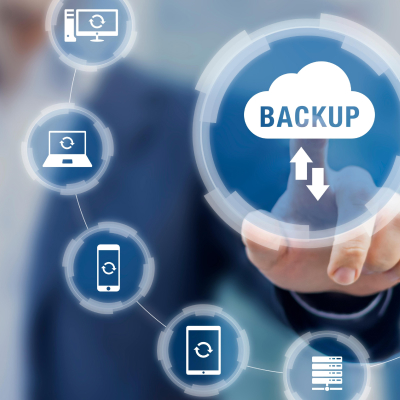
Small and medium businesses (SMBs) rely heavily on data for operations, customer relationships, and strategic growth. In today’s digital-first economy, data is not just a byproduct of business; it is the core asset that drives revenue. Losing access to customer databases, financial records, or intellectual property due to hardware failure, cyberattacks, or natural disasters can cripple operations instantly. For an SMB, the cost of data loss is measured not just in thousands of dollars of downtime and recovery fees, but in irreparable reputational damage and lost client trust.
Effective backup strategies must move beyond simple file copying to robust, resilient frameworks. The industry standard is the 3-2-1 Rule: maintain three complete copies of your data, stored on two different types of media, with at least one copy located offsite. This redundancy ensures that if one mechanism fails, others are ready to take its place.

The Critical Necessity of Robust Backups
The threat landscape for SMBs has intensified dramatically. Data breaches and cyberattacks have affected over 40% of SMBs in recent years, with a sharp rise in “Ransomware-as-a-Service” attacks. These sophisticated threats do not just encrypt live production data; they actively hunt for and attempt to corrupt backup files to prevent recovery, forcing businesses to pay exorbitant ransoms. Without a predefined recovery strategy, restoration times can stretch from hours to weeks, effectively halting sales, service delivery, and cash flow.
Beyond malice, the “insider threat” and simple human error remain leading causes of data loss. Accidental deletions, overwriting critical files, or disgruntled employees sabotaging data can be just as destructive as a hacker. Furthermore, physical threats cannot be ignored. In regions like India, environmental factors such as floods, power surges, and fires pose significant risks to on-premise hardware. A robust backup strategy is the only insurance policy against this spectrum of risks.
Core Backup Methods: A Deep Dive
SMBs benefit most from a mix of local, cloud, and hybrid approaches, tailored to their specific recovery time requirements and budgets.
1. Local Backups: Speed and Accessibility
Local backups typically utilize external hard drives or Network Attached Storage (NAS) devices.
- Pros: They offer the fastest Recovery Time Objectives (RTO) because data transfer occurs over the local network (LAN) rather than the internet. Restoring terabytes of data can take hours locally versus days over the cloud.
- Cons: They are a single point of failure regarding physical disasters. If a fire destroys the office, it destroys the server and the backup drive sitting next to it. They are also vulnerable to theft.
- Best Practice: Use RAID (Redundant Array of Independent Disks) in NAS devices to protect against drive failure, and physically rotate external drives offsite weekly.
2. Cloud Backups: Scalability and Isolation
Services like Google Drive, Backblaze B2, or Amazon S3 store data in remote data centers.
- Pros: This provides true “air-gapping” from physical office disasters. Cloud storage is elastic, meaning you only pay for what you use, and it scales infinite with business growth.
- Cons: Recovery speed is strictly limited by internet bandwidth. A full system restore of 5TB could take a week on a standard SMB internet connection.
- Best Practice: Utilize “Object Lock” or immutable storage features provided by cloud vendors to prevent ransomware from deleting cloud archives.
3. Hybrid Backups: The Best of Both Worlds
The hybrid approach combines on-site speed with cloud redundancy, effectively operationalizing the 3-2-1 rule. Appliances (or software) back up data to a local target first for speed, and then replicate that data to the cloud in the background. This balances cost (starting at ~$5/user/month) and security, making it ideal for digital agencies handling massive video or graphic files.
Backup Types and Scheduling
To optimize storage and performance, SMBs must understand the three main backup types:
- Full Backups: A complete copy of every selected file. It is the fastest to restore but takes the most storage and time to create.
- Incremental Backups: Backs up only the data that has changed since the last backup of any kind. This is the fastest to run and uses the least storage, but restoration is slower because the system must piece together the last full backup plus every subsequent increment.
- Differential Backups: Backs up data changed since the last full backup. This offers a middle ground—faster restores than incremental, but uses more storage over time.
Recommendation: Most modern SMBs should use a “Forever Incremental” strategy, where a full backup is taken once, and only changes are saved thereafter, with the software synthetically creating full backups for restoration. Schedule these daily for critical data (e.g., client DMs, SEO analytics, transactional DBs) and weekly for static archives.
Implementing the 3-2-1 Rule: A Scenario
Consider a Faridabad-based creative agency. To adhere to the 3-2-1 rule, they should:
- Copy 1 (Production): Live data on the office server.
- Copy 2 (Local): A NAS device in the server room, receiving hourly snapshots. This covers accidental file deletions.
- Copy 3 (Offsite): An encrypted copy sent nightly to a Delhi data center or a public cloud provider like AWS Mumbai. This protects against fire or regional internet outages.
Security Essentials: Encryption, Immutability, and MFA
Security must be layered into the backup process itself.
- Encryption: Data must be encrypted in transit (using TLS/SSL) and at rest (using AES-256). This ensures that even if data is exfiltrated, it is unreadable to attackers.
- Immutability: This is the defense against ransomware. Immutable backups are configured “Write Once, Read Many” (WORM). once written, they cannot be modified or deleted by anyone—including administrators—for a set period (e.g., 90 days).
- Access Control: Implement strict Role-Based Access Control (RBAC) and mandatory Multi-Factor Authentication (MFA) for access to the backup management console. Hackers often target backup software consoles first to disable protections.
Recovery Planning: RTO and RPO
A backup is useless if it cannot be restored in time to save the business. You must define two key metrics:
- Recovery Point Objective (RPO): The maximum amount of data (measured in time) you can afford to lose. If you back up daily at midnight and the server fails at 11:00 PM, you lose 23 hours of data. Is this acceptable? For financial transactions, the RPO might need to be 15 minutes.
- Recovery Time Objective (RTO): How long can you afford to be down? If it takes 4 days to download your cloud backup, but your business fails after 2 days of downtime, your strategy has failed.
Testing: Test restores quarterly. Don’t just verify the software says “Success.” Actually delete a test file, recover it, and time the process. Document a Disaster Recovery Plan (DRP) outlining steps, roles, and contact numbers. Train staff via simulations to cut panic during actual incidents.
Retention Policies and Compliance
Data retention is often dictated by legal requirements.
- GFS (Grandfather-Father-Son): A common rotation scheme. Keep daily backups for a month (Son), weekly backups for a month (Father), and monthly backups for a year or more (Grandfather).
- Compliance: In India, regulations like the Digital Personal Data Protection (DPDP) Act and GST compliance require strict data handling. Financial records often need to be kept for 7 years.
- Ransomware Rollback: Keep at least 90 days of versions. Ransomware often lies dormant for weeks before activating; you need a “clean” version from before the infection started.
Vendor Selection and Trends
Prioritize affordable, scalable options:
- Budget-Friendly: Duplicati or UrBackup (open-source) for tech-savvy teams with zero software budget.
- Enterprise-Grade: Veeam or Acronis for automated, image-based backups. Expect to pay ~$400/year but gain features like “Instant VM Recovery.”
- Cloud-First: Backblaze ($6/TB/month) is ideal for remote teams with decentralized data.
Emerging Trends:
- AI-Driven Protection: New tools use AI to detect anomaly patterns in backup streams (e.g., massive file changes indicating encryption) and halt the backup to prevent overwriting good data with bad.
- Air-Gapped Backups: Returning to physical tape drives or offline disks disconnected from the network to ensure absolute protection against zero-day threats.
Quick-Start Checklist:
- Assess: Classify critical vs. non-essential data.
- Define: Set your RPO and RTO goals.
- Deploy: Choose a hybrid setup (NAS + Cloud).
- Secure: Enable encryption, immutability, and MFA.
- Test: Perform a restoration test immediately.
- Review: Audit the strategy bi-annually.
Implementing these strategies safeguards SMBs, ensuring uninterrupted content creation and client trust. Start small, scale securely—data is your business lifeline.
Leave A Comment